
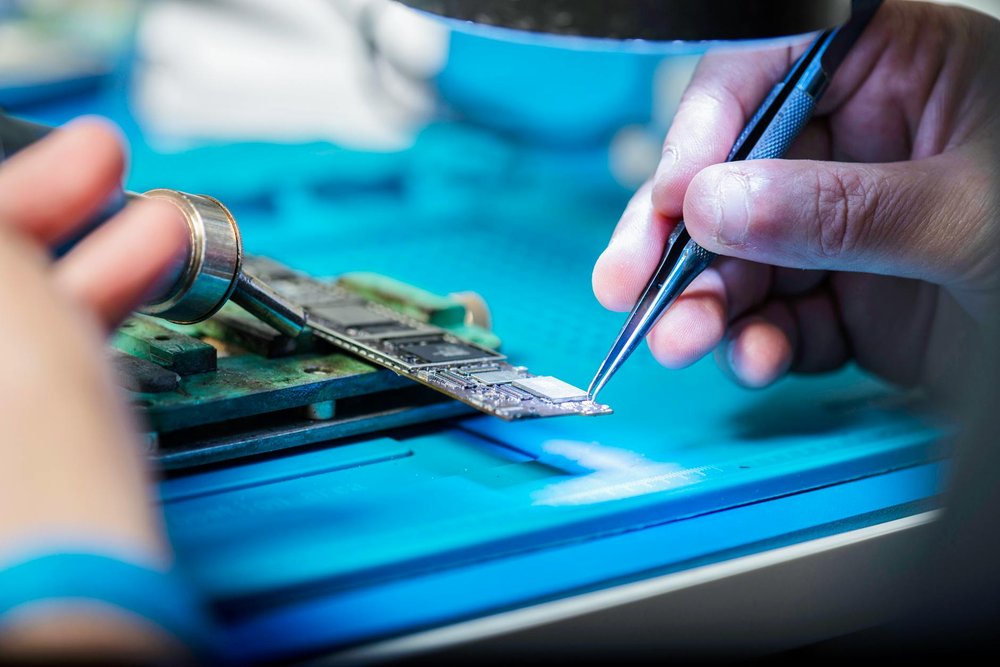
Learn how to fix old broken computers
🌍 Anywhere🔄 Repeatable👤 13+
techlearningsustainability
Learn to diagnose hardware failures, replace components, and reinstall operating systems to breathe new life into discarded machines. Start with simple issues like RAM upgrades and hard drive replacements - vintage computers can be surprisingly valuable once restored, and you'll develop troubleshooting skills applicable to modern tech.
Difficulty
35/100Medium
💰
Cost
$50 – $300
⏱
Time
weekend
👥
People
1+
🏠
Setting
indoor
📅
Season
any
🎒
Equipment
basic tools, multimeter, replacement parts
People who tried this
“When I turned it on, it didn't initially turn on all the way. It would start playing the Mac startup chime, but then it'd get cut off early and it would turn off. So some parts were clearly working, but not everything. I suspected it might be a faulty memory thing. There were four RAM sticks in there to begin with, maybe one was unreliable and would cause a crash when used? I tried taking them out one at a time and testing startup to see what it would take to get past the startup chime. I found that there was, in fact, one RAM stick causing the problem, and startup would get further with it removed! It would then successfully boot up Mac OS X, but then freeze and crash after a short amount of time. But it was definitely working before then, because I could open apps, change system settings, etc.”
“During my work at trying to find and fix the fault I found that sometimes the PSU would actually work, but then at other times the outputs would stay resolutely at 0V. Also, while trying to test different parts, I noticed that one of the connectors for connecting between the two boards was loose and actually came away. I think this might have been marginal and in my attempts at separating the two boards it finally came away. I re-soldered it, but the PSU still wasn’t working reliably. I tested the capacitors C21 and C35 on the +5V output and found that they seemed to measure inconsistently and one seemed to have a barely discernible bulge. I decided to replace them. When I replaced them the PSU started to work.”
“My first job was to inspect it, particularly the power supply and the video monitor boards. It looked like some parts had been replaced on the PSU and there was a track that had been cut. [...] At this point I was ready to try turning it on. Of course it was a major disappointment that there was no life from it, but I guess not totally unexpected. Nothing on the screen, no beep, no LEDs lit up on the keyboard, nothing. I went through a number of troubleshooting steps to trace the issue, following some troubleshooting steps in the Technical Manual. I could see that the DC012 video processor control chip was permanently asserting the interrupt line and not generating any DMA HOLD REQUESTs.”
Similar challenges
Restore a vintage item to its former glory
Build your own gaming PC from scratch
Restore a vintage motorcycle.
Take apart and reassemble a mechanical device
Learn how to DIY almost anything: home repairs, auto repairs, lawn maintenance.
Furniture restoration
Restore a historic car

Learn how to flip cars

Learn a simple coding task.
Add this to your bucket list and start crossing off your goals.
Add to my bucket list